iPhone Games That Pay Real Money: App Store Safety Guide
iPhone Games That Pay Real Money: App Store Safety Guide
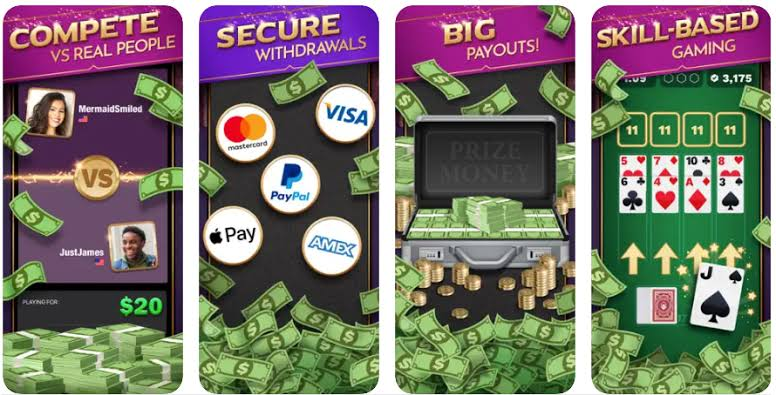
iPhone games that pay real money can include skill-based solitaire, puzzle, bingo, card, trivia, arcade, and multiplayer competition apps. Some provide free practice, while cash contests may require deposits or entry fees and may not be available in every state.
App Store reminder: Being listed in the App Store confirms that an application is currently distributed through Apple’s platform. It does not guarantee earnings, profitability, cash-contest availability, or the accuracy of every developer marketing claim.
Types of Real-Money iPhone Games
| iPhone game type | How cash play may work | Main detail to check |
|---|---|---|
| Solitaire tournament | Players complete similar card layouts and compare scores or completion times. | Entry fee, scoring system, and opponent matching. |
| Bingo-style skill game | Players compete through speed, pattern recognition, and use of game features. | State eligibility and whether chance affects the outcome. |
| Puzzle competition | Players earn points through speed, accuracy, and strategic decisions. | Cash versus practice mode and tournament cost. |
| Multi-game skill platform | One app provides several card, word, sports, or arcade competitions. | Which individual games support prize play. |
| Reward game app | Users earn points or rewards through play and sponsored activity. | Conversion rate, minimum payout, and supported reward methods. |
| Regulated gambling app | Eligible adults wager real money where authorized. | State licensing, geolocation, and withdrawal verification. |
Current App Store Examples
The US App Store currently includes several applications described by their developers as skill-based cash competition products. Examples include:
- Solitaire Cash: Solitaire-based skill tournaments for supported iPhone and iPad users.
- Skillz: A multi-game skill platform covering categories such as puzzles, cards, words, trivia, arcade, and sports-style games.
- Triumph: A multiplayer skill competition app offering several game modes on iPhone.
- Solitaire Skillz: A competitive Klondike solitaire product operating through the Skillz platform.
These examples are not guarantees or personal recommendations. App availability, cash modes, payment options, ratings, rules, and supported locations can change.
Check the Age Rating
Cash-prize applications may set a higher age requirement than ordinary free games. An app can be downloadable on a shared family device while restricting cash competition to eligible adults.
Review both:
- The App Store age rating.
- The cash-competition age requirement in the developer’s terms. These figures may differ because an application-store rating and a legal prize-eligibility rule serve different purposes.
Cash Play May Not Be Available Everywhere
An iPhone app can appear in the US App Store while disabling paid competitions or cash prizes in selected states or locations.
Before depositing:
- Open the eligibility section.
- Check the current excluded-state list.
- Confirm the minimum age.
- Allow location verification when legitimately required.
- Do not use a VPN to avoid restrictions.
- Check again after traveling to another state.
Free Download Versus Free Cash Competition
The “Free” button in the App Store normally means there is no charge to download the application. It does not mean every tournament or feature is free.
An app may contain:
- Free practice games.
- Virtual-currency competitions.
- Promotional entries.
- Paid cash tournaments.
- Optional deposits.
- In-app purchases.
Review the entry confirmation before every competition.
How Skill Matching Works
Competitive platforms may match players using experience, historical performance, ranking, or other internal data. Two users may therefore see different opponents or competition levels.
A platform’s description of skill matching should be read together with:
- Tournament rules.
- Scoring method.
- Tie-breaking procedure.
- Anti-cheat policy.
- Interrupted-game policy.
- Dispute process.
Practice Before Entering Paid Games
Use free games to understand the scoring system. In a timed solitaire competition, for example, finishing quickly may not be the only factor. Unused time, moves, streaks, or special scoring rules may affect the final result.
Practice can help answer:
- Do both players receive comparable game conditions?
- Which actions increase or reduce the score?
- How long does a normal match take?
- Does the game run smoothly on the device?
- Are there accidental-entry risks?
- Can the user understand the results screen?
Deposits and Apple Pay
Some competitive apps may offer Apple Pay or other payment methods for deposits. Using Apple Pay does not mean Apple operates the competition, guarantees the prize, or approves a future withdrawal.
Before depositing, check:
- The minimum and maximum amount.
- Whether a bonus is being added.
- Whether bonus funds are withdrawable.
- The app’s refund policy.
- Whether the payment method can receive withdrawals.
- The account name and identity requirements.
Withdrawal Methods
An iPhone game may offer PayPal, Venmo, debit-card transfer, ACH, bank transfer, Apple Pay-related options, or another provider. Availability can differ by app and user location.
Do not assume that a deposit method is also a withdrawal method.
| Withdrawal item | Question to ask |
|---|---|
| Minimum amount | How much withdrawable cash is required? |
| Bonus treatment | Will promotional credits be removed after requesting payment? |
| Processing review | How long can the app review the account? |
| Transfer method | Is the selected method available to this user? |
| Fee | Does the app or payment provider deduct a charge? |
| Identity check | What documents may be requested? |
App Store Privacy Information
The App Store includes privacy information supplied by the developer. Review the categories associated with:
- Contact information.
- Identifiers.
- Financial information.
- Location.
- Usage data.
- Diagnostics.
- Advertising.
Apple may note that the privacy information has not been independently verified. Users should also open the developer’s complete privacy policy.
In-App Controls and Spending Protection
Use device and account controls to reduce accidental spending.
- Require Face ID, Touch ID, or a password for purchases.
- Do not share the device with an unlocked cash-game account.
- Disable saved payment methods when they are unnecessary.
- Review purchase and deposit history regularly.
- Sign out before giving another person access to the device.
- Set a personal deposit and entry limit.
How to Read Ratings and Reviews
A high average rating does not replace examination of the most recent reviews. Search within reviews for terms such as:
- Withdrawal.
- Deposit.
- Support.
- Matchmaking.
- Account locked.
- Location.
- Bonus cash.
- Game crashed.
Check whether complaints relate to a current app version and whether the developer provides a useful response.
Common iPhone Cash-Game Problems
Cash Mode Is Missing
The account may be underage, outside a supported location, using an unsupported device configuration, or awaiting verification.
Deposit Succeeded but Balance Is Missing
Check the transaction history and avoid submitting another deposit until official support confirms the first result.
Game Closed During a Tournament
Record the tournament number, time, entry fee, and screenshot. Review the app’s interrupted-game policy before assuming that an automatic refund will occur.
Withdrawal Is Pending
Determine whether the app is reviewing identity, gameplay, payment ownership, or bonus activity. The external payment provider cannot complete delivery until the app releases the request.
Cash Games Versus Social Casino Games on iPhone
| Feature | Cash competition | Social casino |
|---|---|---|
| Primary balance | Cash, bonus cash, or tournament entries | Virtual coins |
| Cash prizes | May be available to eligible users | Generally not from ordinary virtual gameplay |
| Location restrictions | Common for prize play | May still apply, but for different reasons |
| Financial risk | Entry fees and deposits can be lost | Optional virtual-currency purchases can be spent |
iPhone Money Game Checklist
- Official App Store developer confirmed.
- Cash-prize age requirement satisfied.
- State or location eligibility confirmed.
- Free and paid modes separated.
- Entry fees visible before play.
- Cash and bonus balances understood.
- Withdrawal minimum and methods recorded.
- Privacy practices reviewed.
- Practice mode tested.
- A small withdrawal attempted before larger deposits.
iPhone games that pay real money can provide legitimate rewards or skill competitions, but App Store availability should be treated as the beginning of the review rather than the end. Verify the cash mode, location rules, entry cost, scoring system, privacy practices, and withdrawal process before risking money.
FAQ
Are there any legit online slots that pay real money?
You can win real money at reputable casino sites such as BetMGM, Caesars, FanDuel, DraftKings, PlayStar, Tipico, bet365 and BetRivers Casino. They allow you to play online casino games for real money in various states, including New Jersey, Michigan and Pennsylvania.
Cash App Real-Money Games: What Pays Real Money and How to Do It
Real-money apps that pay via Cash App directly do not exist: no legitimate game or rewards app pays Cash App cash out natively. This means you won’t find a game that gives you money straight into Cash App. Instead, many apps pay through PayPal, gift cards, or other wallets, and you would need to transfer those funds to Cash App yourself if you want it there. Common alternatives that people use today: Mistplay: earns points for playing games; points can be redeemed for gift cards or PayPal, then transferred to Cash App if available.
What is the real game to win money on cash App?
The real deal My winnings go directly to my PayPal account within a few days. My only complaint is I can only withdraw about half of my winnings. After I withdraw that half, the other half is reset and I can no longer gamble with it. But still nothing to complain about considering I have never spent any $$.
Apps That Pay Directly to Cash App
Apps that pay directly to Cash App are still fairly limited, but a few earning platforms do support Cash App-style payouts or let you cash out through a bank transfer that can land in your Cash App balance. Common examples include reward apps, survey apps, cashback apps, and some game apps that advertise instant withdrawals or ACH deposits. Reward and game apps are the most often mentioned category for Cash App payouts, especially apps that let users earn small amounts by playing games, completing tasks, or watching offers.
5 Legit GCash Games to Cash In Big 2026
Hey there, gamers in the Philippines! Want to turn your phone playtime into real GCash cash? Legit apps and games reward you with small payouts for tasks, levels, or wins—think PHP 100-500 weekly with steady effort. No get-rich-quick schemes here; stick to verified ones to stay safe.eneba+1 Mistplay hooks Android users with fun mobile games like puzzles and adventures. Earn “units” per playtime (e.g., 100 units = PHP 50), then swap for GCash-compatible gift cards.
Looking for apps that pay $100 a day? You’ve come to the right place! Our expert team shares top apps that offer real earning potential. Discover your next money-making opportunity today!
This site only collects related articles. Viewing the original, please copy and open the following link:iPhone Games That Pay Real Money: App Store Safety Guide